How to spot a rug pull before you buy
Seven checks you can run in a couple of minutes, the free tools to run them and what to do if you already got rugged.
You spot a rug pull by checking who can move the token and the liquidity. Before buying, confirm that mint and freeze authority are revoked, that liquidity is burned or locked, that the large holders are not connected to each other and that the token can be sold. No tool gives guarantees: they add up signals.
The four kinds of rug pull
Not every rug is the same. Knowing which is which tells you what to check.
Hard rug
The creator pulls the liquidity from the pool. The price collapses and there is no one to sell to.
Check: liquidity burned or lockedSoft rug or dump
The team or insider wallets sell their share bit by bit, or abandon the project. Liquidity stays, the price doesn't.
Check: concentration and clustersHoneypot
You can buy, but the contract won't let you sell or charges an abusive sell tax. More common on EVM chains.
Check: sell simulationMint or freeze abuse
The creator mints new tokens and sells them, or freezes accounts so no one else can move their balance.
Check: revoked authoritiesA 7-signal checklist
Tap each item as you check it. If one fails, there is no need to keep going.
Tools to check a token
None of them covers everything. The usual approach is to cross-check at least three.
| Tool | What it checks |
|---|---|
| RugCheckSolana | Mint and freeze authority, liquidity and holder concentration |
| BubblemapsSeveral | Holder map and connections between wallets (clusters) |
| DEX ScreenerSeveral | Pair age, liquidity, buys and sells in real time |
| Honeypot.isEthereum, BSC, Base | Simulates a buy and a sell; shows taxes and gas |
| GoPlus SecuritySeveral | Security checks on the token contract |
| Solscan / EtherscanSolana / EVM | History of the creator's wallet and the contract |
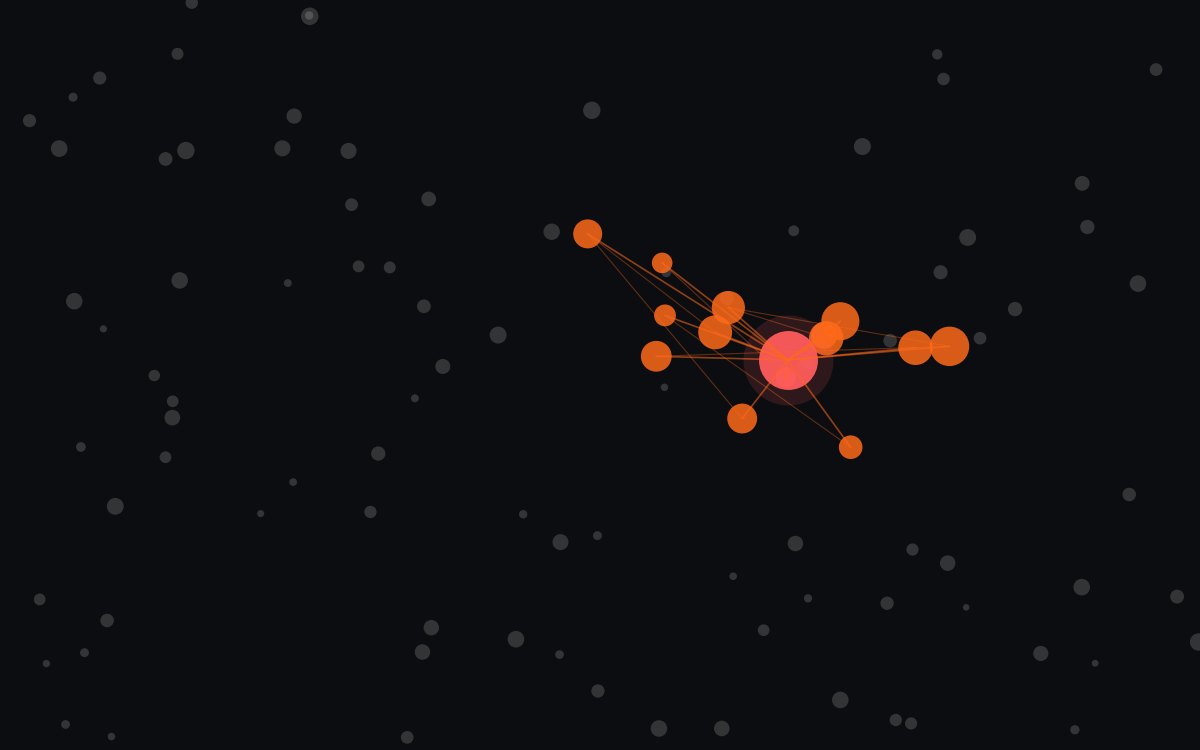
This is what a cluster looks like on a holder map: several large wallets connected to the same source. If that source is the creator, the supply is more concentrated than it looks.
Check a token in 60 seconds
- Copy the contract address from an official project source, never from a private message.
- Paste it into a scanner (RugCheck on Solana, GoPlus or Honeypot.is on EVM) and look at authorities, liquidity and concentration.
- Open the holder map on Bubblemaps and look for groups of connected wallets.
- Check the pair on DEX Screener: age, liquidity and whether sells show up alongside buys.
- Review the creator’s wallet on the explorer: what they launched before and what happened to those tokens.
If you already got rugged
- Don’t send more funds to “recover” what you lost.
- Revoke the permissions you gave the contract: on EVM with an approval revoker such as revoke.cash, on Solana from your wallet.
- Be wary of anyone offering to recover your funds: it is one of the most common scams after a rug.
- Save your transaction hashes and warn the community so no one else gets in.
FAQ
Is a token with burned liquidity safe?
Not necessarily. Burned liquidity prevents a hard rug, but not a dump: if a few wallets hold a large share of the supply, they can still sell.
If a scanner shows green, can I buy with peace of mind?
No. Scanners show point-in-time signals that can change: a token you can sell today might not be sellable tomorrow if the contract allows it.
Does this work for Ethereum, Base and BSC?
Yes. The logic is the same; the tools change. On EVM chains, sell simulation (honeypot checks) and reading the contract matter more.
This guide is educational and is not financial advice. Spotted an error? Request a correction.