How to use Bubblemaps to find connected wallets
What Bubblemaps shows, how to find wallet clusters that control a token's supply, how to read a map and what it cannot tell you.
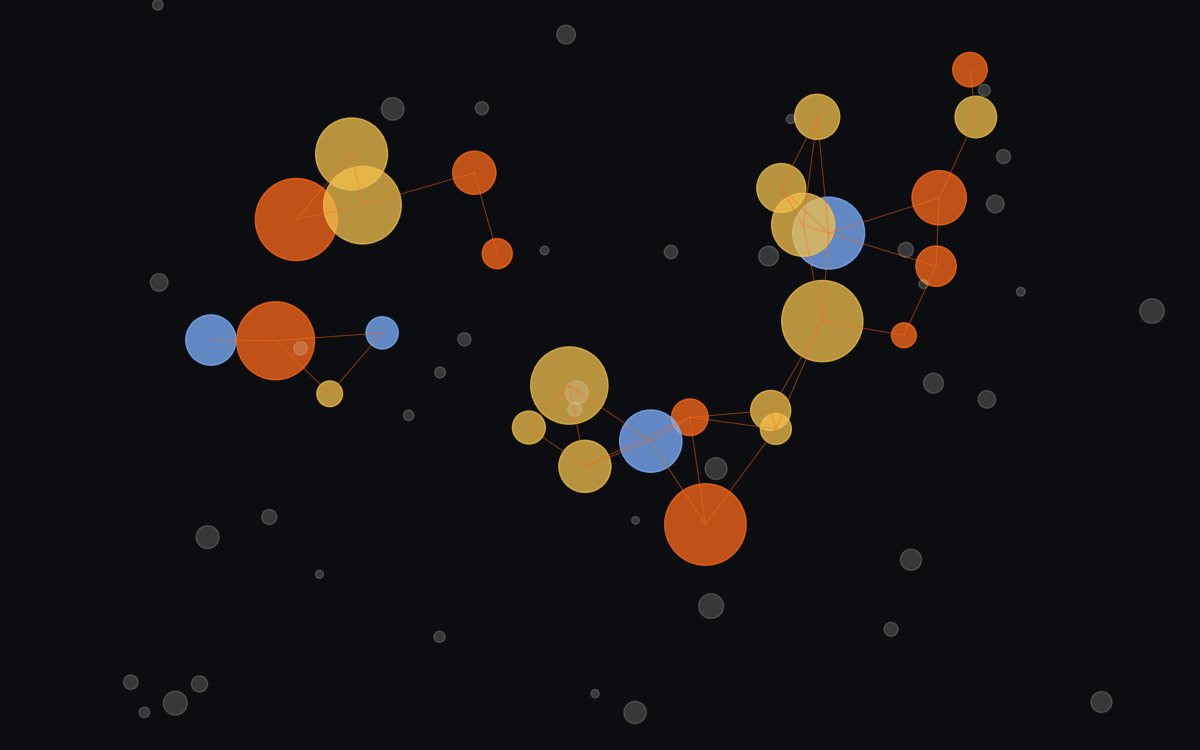
Bubblemaps draws a token's largest holders as bubbles, sized by their balance, and joins them with lines when there were transfers between them. A group of connected bubbles is a cluster: wallets that are probably run by the same person. If a cluster holds a large part of the supply, the token is more concentrated than it looks.
What Bubblemaps shows
Bubblemaps is a tool that turns a token’s holder list into a visual map. Each bubble is a wallet. The bigger it is, the more tokens it holds.
The valuable part is the lines. A line between two bubbles means those wallets transferred funds to each other. If you see several bubbles joined together, they are probably controlled by the same person or group. That is a cluster.
According to its documentation, the map shows the top 250 holders by default and can be expanded to 500. Contracts and exchanges are hidden by default: you can show them with the eye button.
How to spot a cluster
Paste the token’s contract address and wait for the map to load. Then:
- Look for groups of joined bubbles. Standalone bubbles are holders with no visible connection to each other.
- Add up the cluster’s percentage. Tap each bubble in the group and note what share of the supply it holds. A cluster with a large portion of the supply works like a single giant holder.
- See where the funds came from. In the transfers menu (IN/OUT) you can see who sent funds to whom. If many wallets received SOL from the same source right before launch, that is a strong signal.
- Check whether the creator is in the cluster. If the wallet that deployed the token is connected to several large holders, the distribution is less real than it looks.
Features that help the reading
Magic Nodes
Adds to the map intermediate wallets that are not holders but connect holders to each other. It reveals links you would not otherwise see.
Use it when the map looks clean but you are suspiciousTime Travel
Shows how the token was distributed at any point since launch. Useful to see who bought early and whether they already sold.
Use it to see the distribution in the first minutesTime Nodes
Splits an exchange into time windows to link wallets that used the same exchange at the same time.
Use it when the funds come from an exchangeBubblemaps Score
A 0 to 100 score for how decentralized the supply is. Higher means more spread out.
Treat it as a signal, not a verdictReading examples
Healthy map: many bubbles of similar size, standing alone, with no lines between them. The liquidity pool shows up large, but that is normal: it is not a holder.
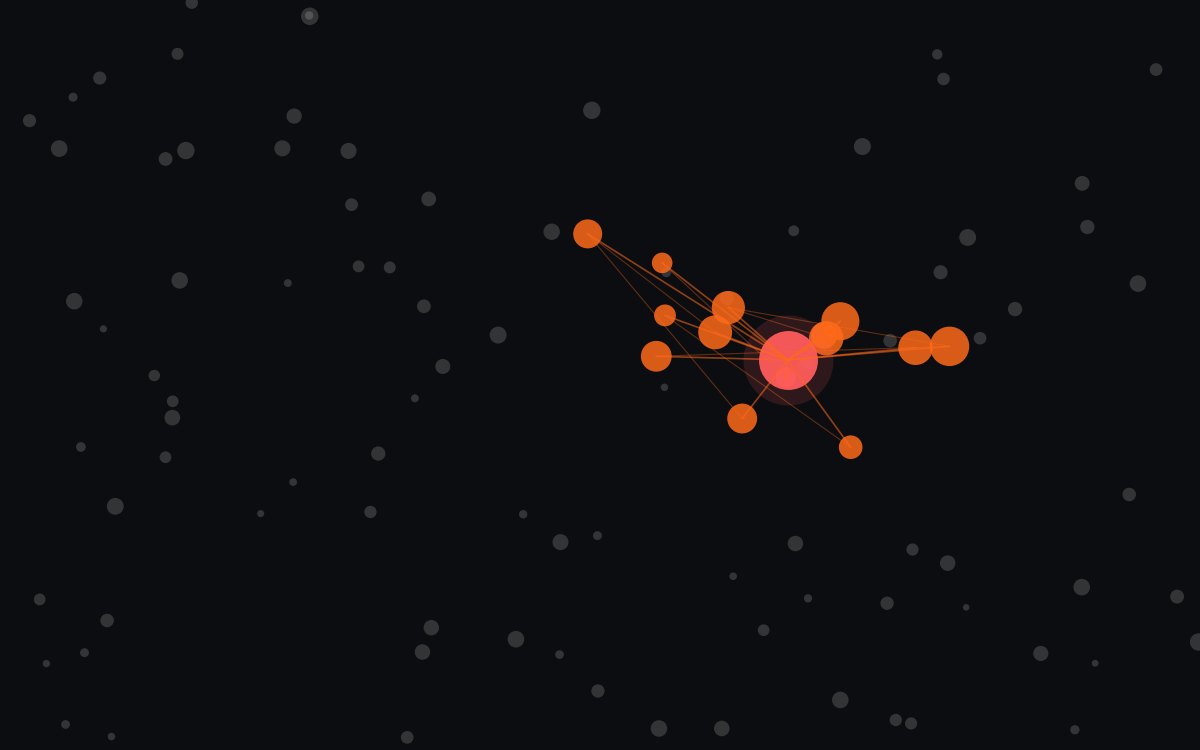
Creator cluster: a central bubble connected to ten or fifteen mid-sized wallets, all created and funded shortly before launch. Even if each one holds little, together they can control a meaningful part of the supply.
Hidden cluster: the map looks clean, but when you turn on Magic Nodes a wallet appears that doesn’t hold the token and funded several holders. That intermediate wallet is the connection someone wanted to hide.
Distribution that changed: with Time Travel you see that in the first minutes a connected group held a lot of supply and now it doesn’t. That group probably sold, perhaps into buyers who came later.
Limitations you need to know
- Delayed data. According to its documentation, maps are updated within the last six hours and newly launched tokens may take longer. For a token that is minutes old, it may not reflect the latest state yet.
- It only sees what it detects. If someone funds wallets from a centralized exchange or uses several hops, the connection may not show up.
- Top holders only. By default you see the top 250. Many small coordinated wallets can be left out.
- Supernodes. Addresses with very high activity get restricted features, and no links are drawn between them.
- The score doesn’t include everything. The Score excludes exchanges, DEXs and contracts, and ignores whatever the tool doesn’t detect.
A map is not a guarantee
Bubblemaps helps you rule tokens out, not approve them. A clean map is a necessary condition, never a sufficient one. Combine it with an authority and liquidity scanner, as we explain in how to spot a rug pull.
What to do now
- Open a token you know and a newly launched one on Bubblemaps. Compare how they look.
- Practice with Time Travel on a token that dropped hard: see who held the supply at the start.
- Add this reading to your routine alongside DEX Screener and spotting snipers and bundles.
FAQ
Is Bubblemaps free?
The main version is free and includes features such as Magic Nodes and Time Travel. Some advanced features are reserved for holders of its token, BMT; check the current terms in its documentation.
Which chains does Bubblemaps support?
According to its documentation, Solana, Ethereum, BNB Chain, Base, Arbitrum, Polygon, Avalanche, Tron and Sonic. The list may change.
If there are no clusters, is the token safe?
No. Bubblemaps only sees the on-chain connections it manages to detect. Wallets funded from exchanges or through intermediate hops may not show up as connected.
This guide is educational and is not financial advice. Spotted an error? Request a correction.